PrBar
Working with a coding agent means pushing a branch and then alt-tabbing to GitHub to see whether CI went red. PrBar puts the PR above the prompt, so the failing check and the new review comment come to you.
Claude Code (terminal and desktop) · Solo — product, architecture, implementation
- TypeScript
- React
- Claude Code plugin API
- GitHub GraphQL API
- Biome
- Changesets
The problem worth solving
An agent opens a pull request in seconds. Then the loop slows to human speed: you switch to a browser, wait for CI, find the failing job, scroll its log, copy the error back into the terminal, and come back for the review comments an hour later. The agent was never the bottleneck. Getting the PR's state back into the conversation was.
PrBar is a Claude Code mod that shows the current branch's GitHub PR in one line above the prompt: the PR number, the CI state, the review decision, new review comments and any merge conflict. When something needs you, it is already where you are typing.
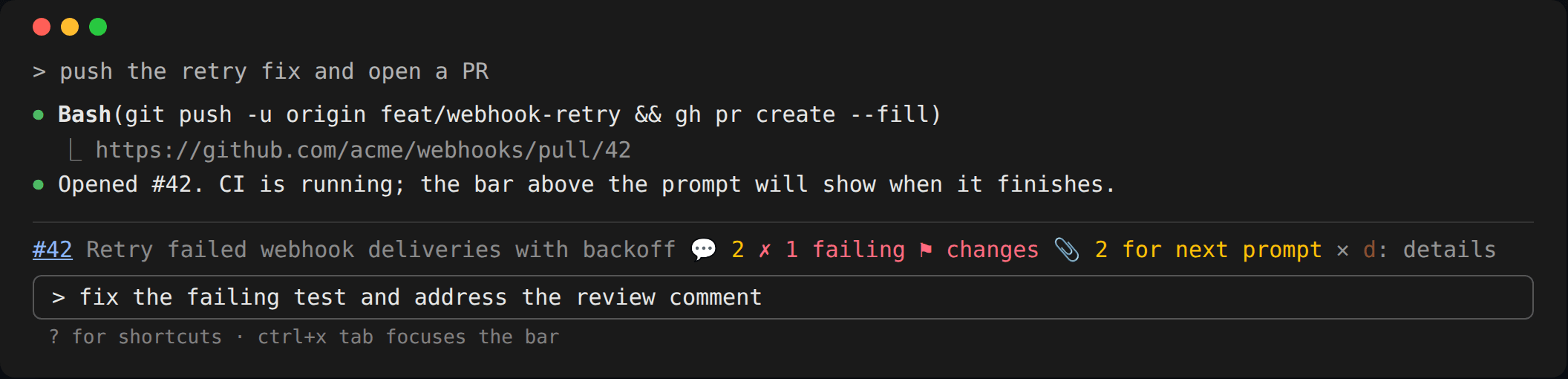
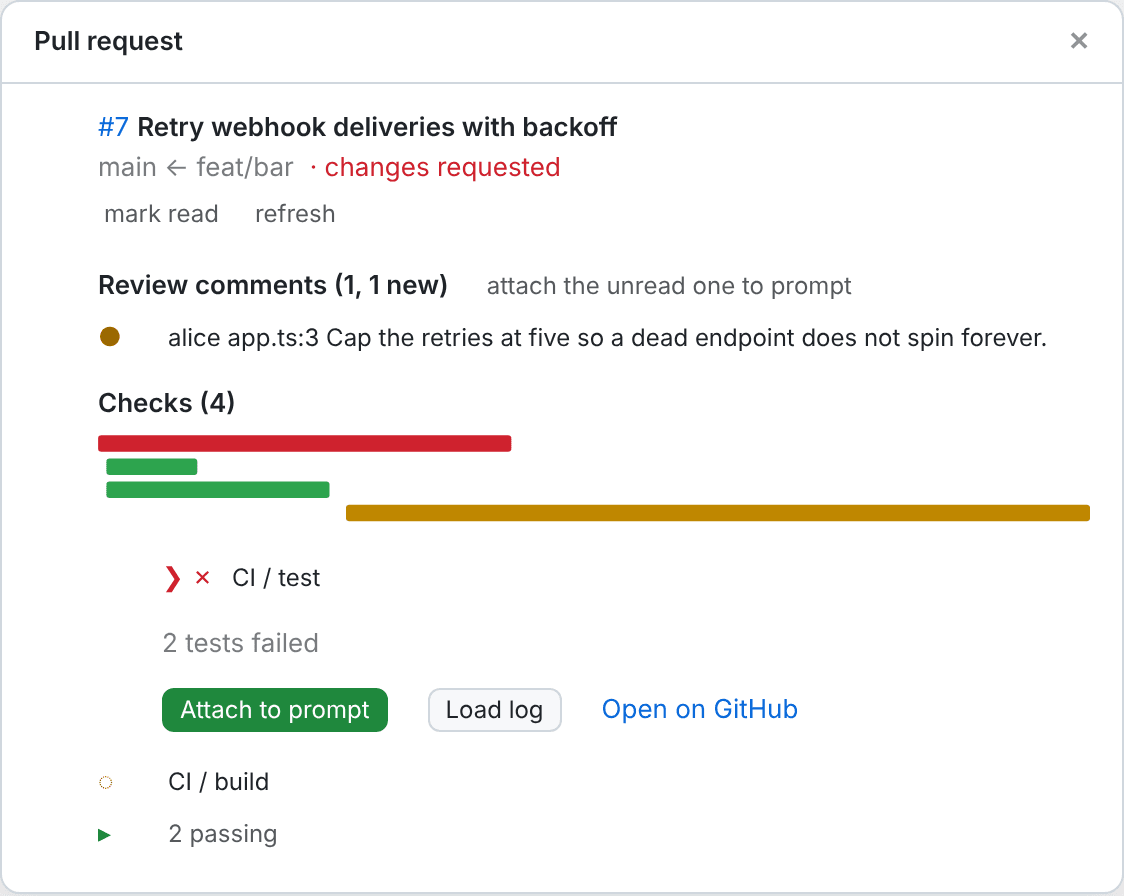
The images on this page are the trees the mod draws for a sample PR, rendered in a terminal or desktop-style frame — not captures of a live session.
Quiet by default, more on request
A status line that shouts is a status line people turn off. The bar starts with a single line and you opt into more: a second row with the failing check names and buttons, passing checks, conversation comments, resolved threads. Each is a setting, and each defaults to off.
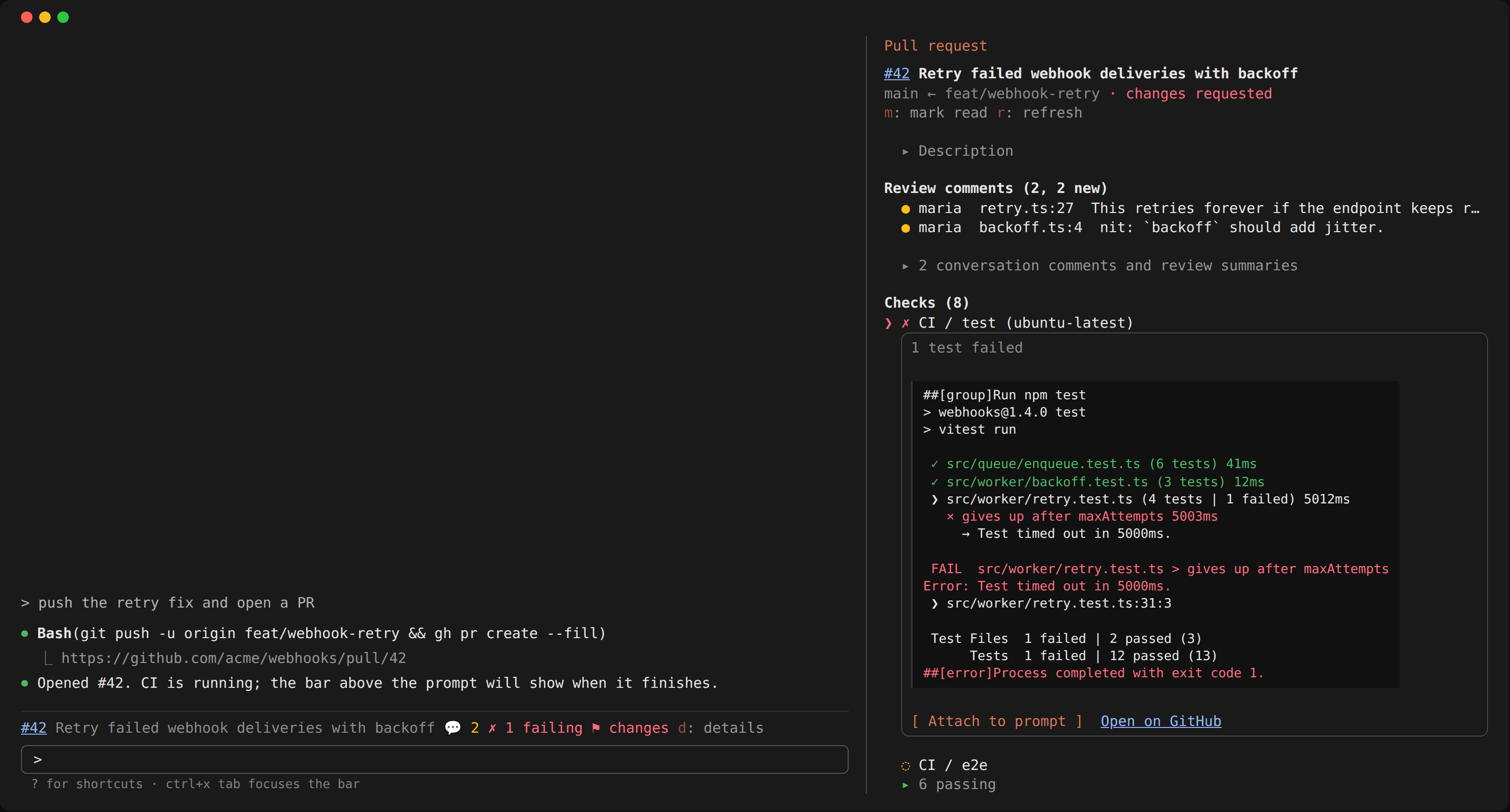
The detail pane (/pr, or d on the bar) opens beside the transcript on whatever needs you
first: the first unread comment, else the first failing check. Pick a row and it opens in
place: a check's log tail, or a comment with the lines of the diff it points at, numbered as
on GitHub. For a stacked PR the pane lists the whole stack, and pressing another PR checks
out its branch, refusing while tracked files have changes.
Handing context to the agent, not typing for it
The useful moment is not seeing the failure; it is fixing it. Attach to prompt on a failing check or a comment queues it, with its log tail or its code, for the next prompt you send. You type "fix this", and the agent gets the evidence once, as context.
The design constraint is the same one I held in AgentBar: the tool never acts for you. Nothing is typed or sent on your behalf, and letter keys only work while the bar or pane holds focus, so nothing you write in the prompt ever presses a button. Attachments respect a 40,000-character allowance, and prompts that arrive on their own (a background task's, another session's) leave them for yours.
Polling like a good citizen
The mod makes one GraphQL request per poll, which also finds the stack. It polls every 20
seconds while a check is running and every 90 once CI settles, backs off for five minutes
after a network error, and on a rate limit waits until GitHub says the limit lifts. A
git push, a branch switch or a gh pr command run by the agent refreshes it at once, so
the fast path does not depend on the timer.
The alert follows the same rule: a toast when CI turns red, never on the first poll, so opening a session on an already-broken branch does not greet you with noise.
A mod you can audit
A tool that holds a GitHub token and reads your conversation has to earn trust, so the README
lists everything it reaches: the two environment variables it reads, each program it runs
with fixed arguments (never through a shell), every host it contacts, and what it stores.
Every external call is declared once in a single host object, so claude plugin validate
prints the same list. There is no telemetry.
The test suite holds hooks/ at 100% statement, branch, function and line coverage with
nothing excluded, and runs the bar and pane against both the terminal and the desktop app.
Releases are cut by changesets, so every PR carries its changelog entry.
What this project demonstrates
Building on a young extension API across two very different surfaces, a terminal and a desktop app, and treating a developer tool's footprint as part of the product: quiet defaults, a polling budget, and a complete account of what it touches.
/plugin marketplace add jreed91/pr-bar
/plugin install pr-bar@jreed91